


The Technical SEO Audit: A Practical Checklist for Migrating to Google Cloud
You've decided to move your site to Google Cloud. That's a smart infrastructure choice—better scalability, improved latency, and tighter integration with Google's ecosystem. But here's the catch: a network migration is a high-risk event for your organic search performance. If your DNS changes, IP addresses shift, or server configurations alter how crawlers see your site, rankings can be affected. This isn't about fear-mongering; it's about being prepared.
The good news? A structured technical SEO audit before, during, and after the migration can protect—and even improve—your search visibility. Below is a step-by-step checklist designed for an Expert SEO Services Agency like SearchScope, covering everything from crawl budget management to Core Web Vitals optimization. Use this as your migration playbook.
1. Pre-Migration: Audit Your Current Site Health
Before you touch a single server setting, you need a complete snapshot of your current technical state. This isn't optional—it's your baseline.
What to check:
- Crawlability: Run a crawl using a tool like Screaming Frog or Sitebulb. Identify all pages that are currently indexable, blocked by `robots.txt`, or returning 4xx/5xx status codes. Document the total number of URLs Google has indexed (from Search Console) versus what your sitemap lists.
- XML Sitemap: Ensure your sitemap is up-to-date and submitted to Google Search Console. Note the last modified dates for each URL.
- Canonical Tags: Verify that every page has a self-referencing canonical tag or a correctly specified alternate. Duplicate content issues often surface after migrations when URLs change.
- Core Web Vitals: Record your current LCP, FID (or INP), and CLS scores from the Chrome User Experience Report (CrUX). This is your benchmark—any degradation post-migration is a red flag.
- Backlink Profile: Export your backlink profile from Ahrefs, Majestic, or SEMrush. Pay special attention to links pointing to old IPs or specific server paths. After migration, those links might break if redirects aren't in place.
2. Migration Planning: Map URLs and Configure Redirects
A network migration often involves changing IP addresses, server configurations, or even domain structures. Every URL that changes needs a permanent 301 redirect.

Step-by-step checklist:
| Task | Tool/Method | Why It Matters |
|---|---|---|
| Map all current URLs to new URLs | Spreadsheet or crawl export | Prevents broken links and lost link equity |
| Implement 301 redirects for every changed URL | Server config (e.g., Nginx, Apache) | Preserves ranking signals from old URLs |
| Update internal links to point to new URLs | Crawl tool + find-and-replace | Avoids redirect chains and wasted crawl budget |
| Update canonical tags to reflect new URLs | CMS or template update | Prevents duplicate content signals |
| Test redirects in a staging environment | Browser + redirect checker | Catches chain loops or 404s before going live |
Common mistake: Using 302 (temporary) redirects instead of 301 (permanent). For permanent moves, 301 redirects are generally recommended to pass link equity.
3. Server Configuration: Optimize for Crawl Budget and Speed
Google Cloud gives you fine-grained control over server settings. Use it wisely.
- robots.txt: Update your `robots.txt` file to allow crawlers access to your new IP range and server paths. Block any staging or development subdomains that might accidentally become public.
- Crawl Rate: In Google Search Console, monitor the crawl rate after migration. If Google suddenly ramps up crawling (common after a server change), it could overwhelm your new setup. Adjust the crawl rate in Search Console if needed.
- Server Response Times: Google Cloud's network is fast, but misconfigured caching or database connections can slow it down. Aim for server response times under 200ms. Use tools like GTmetrix or WebPageTest to verify.
- Core Web Vitals: Re-run your CrUX report 2–4 weeks after migration. If LCP increases (e.g., due to slower image loading from a new CDN), optimize images and consider using a Cloud CDN. If CLS worsens, check for layout shifts caused by new font loading or ad placements.
4. Post-Migration: Verify Indexing and Monitor Rankings
The migration isn't over when the DNS propagates. You need to confirm that Google has re-crawled and re-indexed your new URLs.
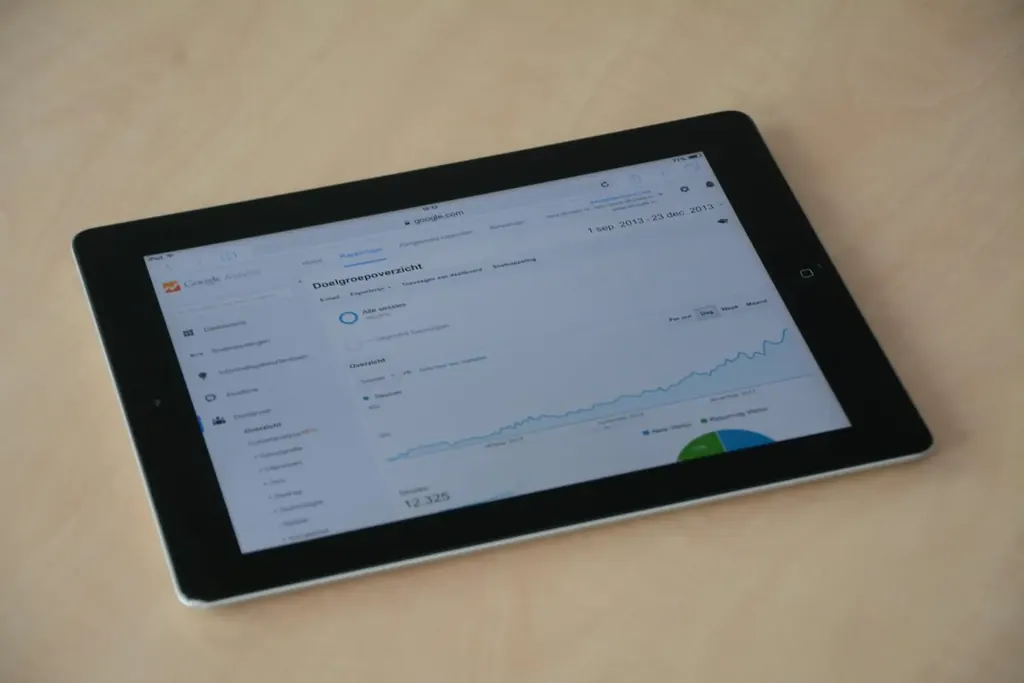
What to do in the first 4 weeks:
- Submit a change of address in Google Search Console (if your domain changed). This tells Google to transfer ranking signals from old to new URLs.
- Monitor the Index Coverage report. Look for spikes in "Excluded" or "Error" pages. Common issues: blocked by `robots.txt`, soft 404s, or pages returning 5xx errors.
- Check your XML sitemap. Re-submit the updated sitemap to Search Console. Ensure all new URLs are included and that old URLs are either redirected or removed.
- Review your backlink profile. Use a tool like Ahrefs to see if any backlinks are now pointing to dead pages. If so, reach out to the linking sites or set up additional redirects.
- Track rankings for your top 20 keywords. A temporary dip is common after migrations. If rankings haven't recovered after several weeks, investigate potential redirect or crawl issues.
5. Ongoing: Maintain Site Health with Regular Audits
A one-time audit isn't enough. SEO is continuous, especially after a major infrastructure change.
Monthly checklist:
- Run a technical SEO audit (crawl, sitemap, robots.txt, canonical tags)
- Check Core Web Vitals in Search Console and CrUX
- Review crawl stats and index coverage
- Monitor backlink profile for toxic links (disavow if necessary)
- Update content strategy based on keyword research and intent mapping
Summary: Your Migration Success Criteria
| Milestone | What to Verify | Timeline |
|---|---|---|
| Pre-migration audit | Baseline crawl, vitals, backlinks | 2 weeks before |
| Redirect implementation | 301 redirects for all changed URLs | During migration |
| Server optimization | <200ms response, correct robots.txt | 1 week after |
| Indexing recovery | Coverage report shows "Valid" pages | 2–4 weeks after |
| Ranking stabilization | Top keywords return to pre-migration levels | Several weeks after |
A Google Cloud network migration doesn't have to hurt your SEO. With a methodical audit, careful redirect planning, and ongoing monitoring, you can come out the other side with a faster, more reliable site—and rankings that hold steady or improve. Start your audit today, and if you need help, reach out to a technical SEO specialist who knows the cloud migration landscape.
Reader Comments (0)